


Less chat, more colour. Discover how to activate ‘Super-Focus’ mode for tints, coverage, and toning.
In the fast-paced world of the salon, every second counts. While HairColorGPT’s general chat is incredible for complex analysis, sometimes you need speed and surgical precision for a specific task.
Enter the COLOR BAR.
We’ve created a vertical tool, a “dedicated mode” that transforms your AI assistant into an expert focused exclusively on deposit-only colour chemistry. No distractions, no bleach, just the perfect formula for bases and lengths.
Here is the definitive guide to mastering this powerful new tool.
What exactly is the COLOR BAR?
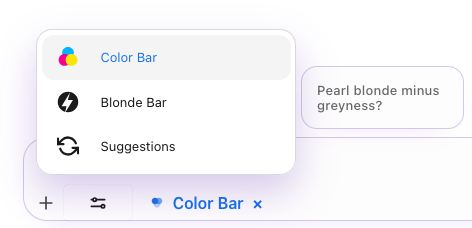
The Color Bar isn’t just an add-on feature; it’s a specific workspace within the app. By activating it, you are signalling to the AI: “We aren’t lifting today, we are colouring.”
This triggers an enhanced algorithm that:
- Eliminates Noise: It already knows you are looking for a tint (permanent or tone-on-tone), so you don’t need to specify it.
- Increases Precision: It focuses exclusively on additive and subtractive colourimetry for tints.
- Protects Results: If you try to ask for high-lift bleaching, it stops you (more on that in a moment).
How It Works: Step-by-Step Guide
1. Activation
Forget complex commands. Open your chat menu and look for the “COLOR BAR” button.
Once clicked, you will see a clearly visible Activation Badge. As long as that badge is lit, you are in the “safe zone” for colour.
2. The Input (The Secret to Speed)
In the general chat, you might write: “I have a client with a base 5, I want to achieve a 6.3 result…”.
With the COLOR BAR active, the AI already knows the context.
- Upload the photo of the client.
- Write the goal (e.g., “Grey coverage and warm reflect on the lengths”).
- Done.
You don’t need to specify “I want a tint”. The system automatically processes the request, knowing that the tools available are colour tubes and developers, not bleaching powder.
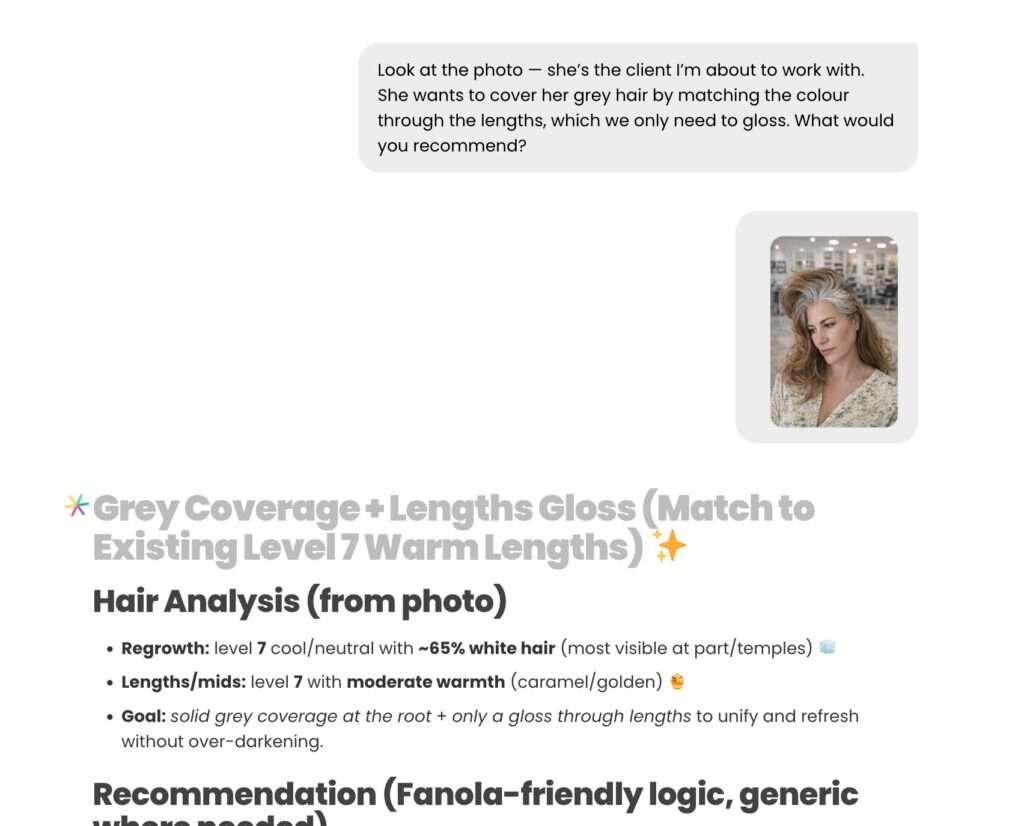
3. What You Can Do (And What You Can’t)
The Color Bar is designed for:
- Base Colour: Grey coverage, changing tone depth.
- Lengths: Refreshing colour, darkening, uniforming.
- Toning: Glazing, glossing, and correcting reflects.
What if I want to lighten?
If the AI detects that you are asking for a transformation that requires bleach (e.g., from black to platinum blonde), the system will intelligently stop you, suggesting you switch to the BLONDE BAR. This prevents formulation errors and ensures every job is handled by the correct chemical tool.
The Superpower: 124 Brands
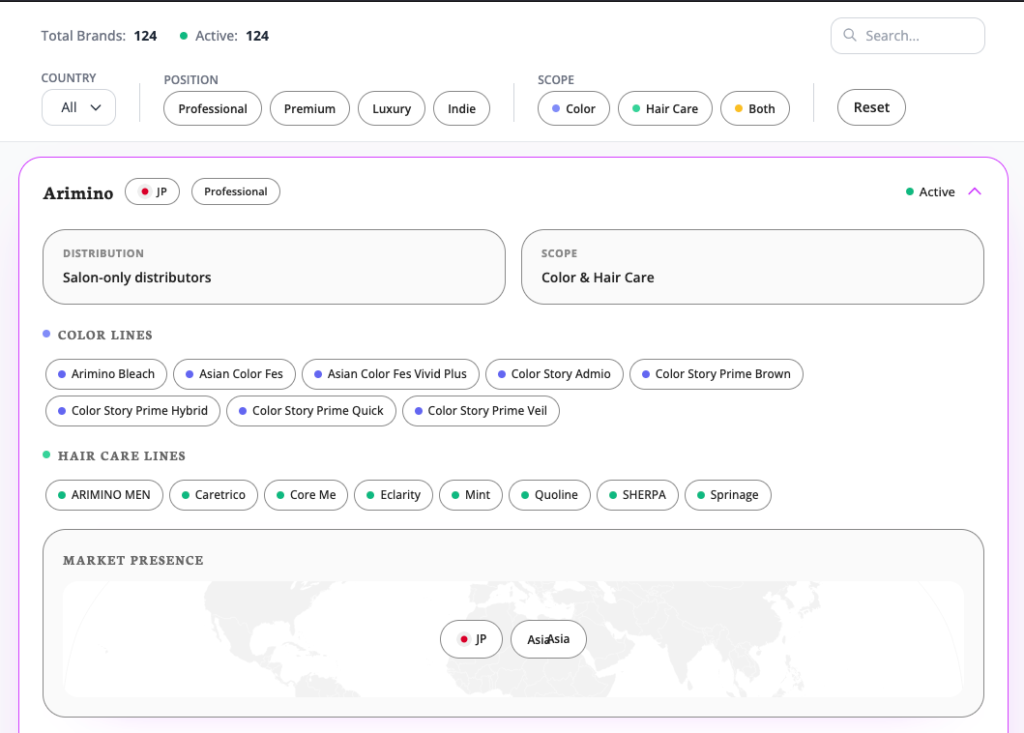
Your salon has its own identity and favourite colour line. The Color Bar knows this.
The algorithm works by default with the brand set in your profile, but its flexibility is total.
You can ask: “Give me this formula using [Brand X] instead of my usual one” or ask for a generic formulation if you are exploring new lines. With 124 brands in the database, the Color Bar speaks the language of whatever colour tube you have in stock.
The Output: The “Formula Block”
This is where the magic happens for salon operations. Instead of a long discursive explanation, the Color Bar generates a FORMULA BLOCK.
Imagine a digital receipt—clean and schematic—containing:
- Exact gram measurements.
- Developer volumes (strengths).
- Precise colour codes.
- Processing times.
It is designed to be read at a glance while you are at the mixing station with a bowl in hand.
Quick Save
Created the perfect formula for Mrs. Smith? Don’t lose it.
Saving is integrated into the workflow:
- Manual: Click to save to the Formula Book.
- Voice/Text: Simply tell the bot “Save for Maria Smith” and it archives everything for you.
Who is the COLOR BAR for?
It is for the colourist who wants to optimise time on the most frequent services. It is for when you are managing 5 clients simultaneously and need immediate certainty on coverage or toning, without getting lost in long conversations with the AI.
Activate the COLOR BAR today and discover the power of specialisation.
Need to lighten? Stay tuned for our guide on the BLONDE BAR, coming soon.